
How to photograph a drawing for a figurine preview
One character, flat paper and even light. A short checklist before you upload.
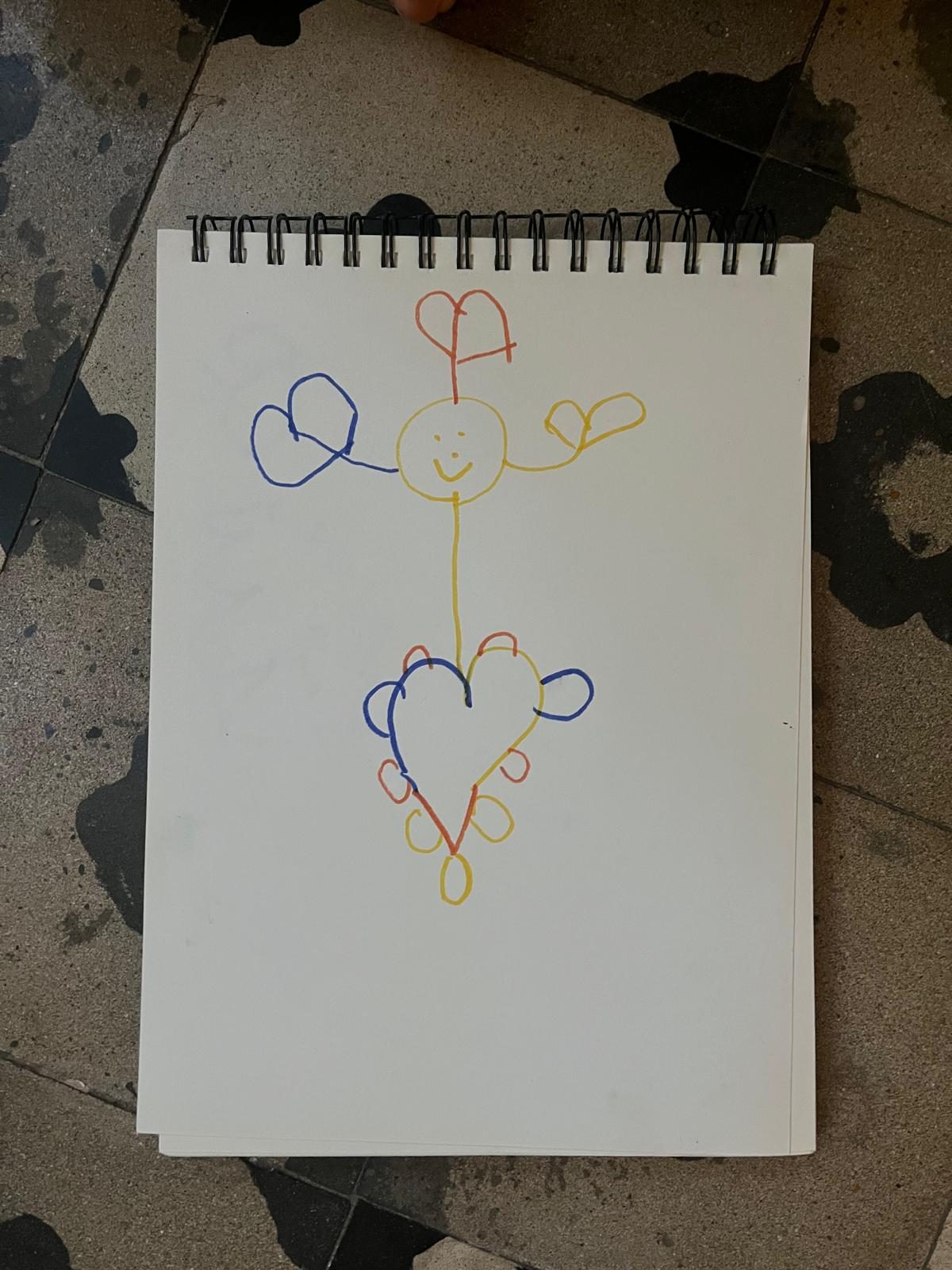
A clear photo makes it easier to see the drawing’s outlines, colours and small marks. Before uploading, open the photo on your phone and check that the whole character is visible.
1. Lay the paper flat
Place the drawing on a flat surface. Smooth out curled corners without covering the character. A scan or an exported digital drawing also works.
2. Use even light
Photograph near a window or in a well-lit room. Move your phone until neither it nor your hand casts a shadow across the drawing. If the flash creates a bright patch, turn it off and try again.
3. Keep the camera parallel to the paper
Hold the phone above the page, with the camera facing straight down. Leave a small border around the character so ears, feet and other details are not cut off. Check that the lines look sharp.
4. Choose one character
If the page contains a scene, ask the drawing’s creator which character they want to make. Crop around that character while keeping its complete outline and a little blank space: do not cut off ears, feet, antennae or anything it is holding. Keep a copy of the full drawing.
If two characters overlap, cropping cannot reveal a hidden part of the body. Choose a drawing with a clear outline, or ask Figura about the image before continuing. A preview may interpret unclear areas differently from what the artist intended.
Decide what belongs to the character. A heart drawn on the chest is different from one floating beside it. Note two or three details you want to preserve, then compare them with both previews. See the drawing and figurine examples for reference.
5. Check the colours
Use the original photo without a colour filter. Compare it with the paper. If an important colour or mark is hard to see, retake the photo in better light.
Ready to upload?
Use PNG, JPEG or WebP, up to 10 MB. A clear photo helps, but it does not guarantee an exact copy. You will review an image preview and a separate 3D model before checkout.
Start a preview with your drawing. Already have a preview? Read what to check before approving it.


